MicroCircuit 1.1
1. System requirements
PalmOS version
MicroCircuit needs
a colour PalmOS device with at least PalmOS 4.
A PalmOS 5 device is needed for digitized sound support.
Here are some of the devices that will run MicroCircuit fine:
Windows Mobile (PocketPC) version
MicroCircuit needs
PocketPC 2002 or newer to run.
2. MicroCircuit installation
PalmOS version
If you have a device with a high resolution screen like a PalmOne Tungsten, a Zire 71, Zire 72 or a Sony Clie, you should install "MicroCircuit.prc".
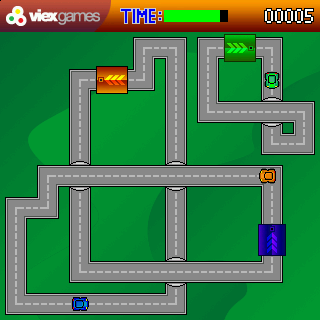
If you have a low resolution device like a PalmOne Treo 600, Zire 31 or a m505, you should install "MicroCircuit_160.prc"
Windows Mobile version
The easiest way to install MicroCircuit is to use the
Windows Installer, it will automatically install MicroCircuit on your device.
Macintosh and Linux users can use the
CAB file to install MicroCircuit.
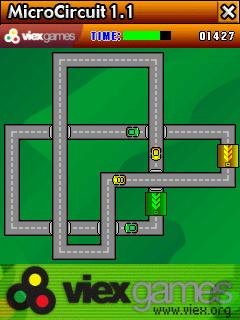
3. How to play
MicroCircuit is very easy to play and does not have a steep learning curve. Select "PLAY" on the main screen and the game begins.
You only need your Stylus in order to play MicroCircuit. The only action you have to perform is to tap the crossroads with your Stylus to avoid a car crash!
If you want to pause or exit the game, just hit any hard key. You can also leave the game, it will restart at the same point you left the game.
4. Installing new tracks
PalmOS users:
Just install the PDB file in your Palm internal memory (not an external card). Go to the option menu and select your new pack!
You will need MICROCIRCUIT 1.1 to install new packs.
Windows Mobile users:
Copy the PDB file in your MicroCircuit directory on your PocketPC, (usualy \Program Files\MicroCircuit\TrackPacks).
Start MicroCircuit, go to the option menu and select your new pack!
5. Creating new tracks
To create your own tracks, use
MicroCircuit LevelDesigner on my website
htto://www.viex.org/.
6. How to register
To buy the game visit
http://www.viex.org or your favorite ESD like Handango, PalmGear or PDAssi.